Print more designs on every inch of DTF film
NestDTF arranges your designs on a gang sheet by their real shape, not in square boxes. Same job, less film, and a print-ready file in minutes.
No card needed. Works in your browser.
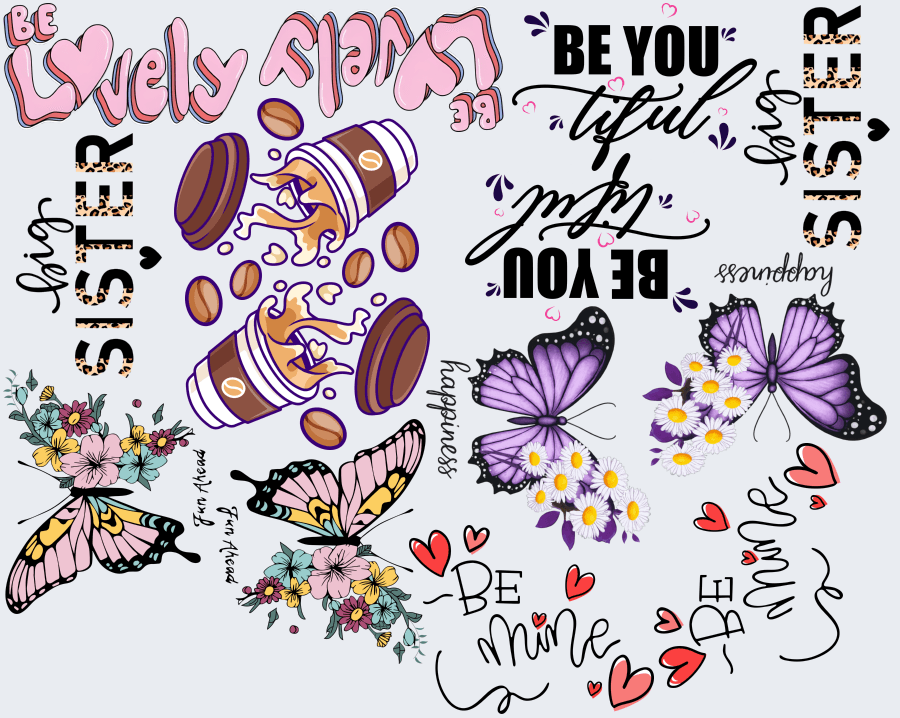
The same 14 stickers, 24% less film
Both sheets are 22 in wide and hold the same 7 designs, two copies each, drawn at the same scale by the NestDTF nesting engine.
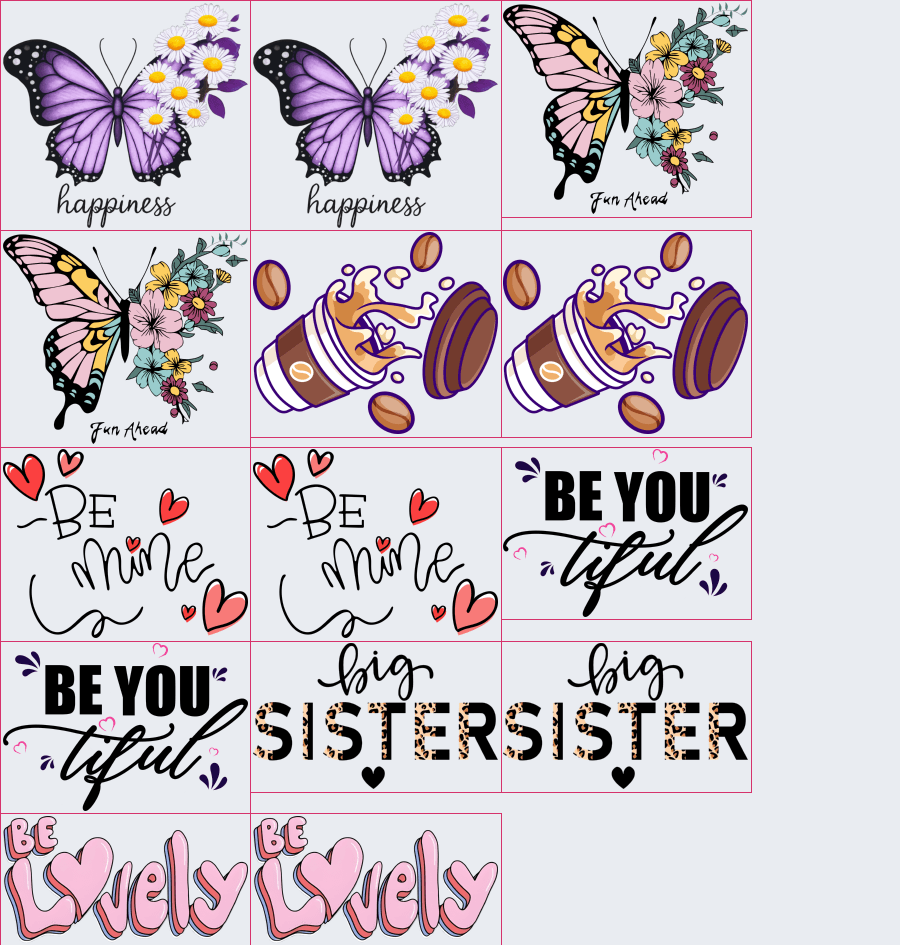
Sample job. Your saving depends on your designs, and NestDTF shows it after every sheet.
Work out your own saving
Type your numbers to see how much film and time you could save every month.
An estimate, not a promise. Film: the low end assumes 10% is saved, the high end 24% as in the sample job above (compared with square boxes; a careful hand layout already saves some of this). Time: we assume 70% of manual layout time is saved, over 26 working days a month. Your own results depend on your designs and how you work.
From designs to print file in three steps
- 1
Upload your designs
Drop in your PNG files. The print size is set for you, and on Pro a white or coloured background is removed in one click.
- 2
Choose quantity and size
Click a design, set how many copies. Good defaults are already set: 22 in wide, automatic length, 300 DPI.
- 3
Build and download
Get a print-ready sheet in PNG, TIFF or PDF, usually within seconds.
Built for real print shops
True-shape nesting
Designs are packed by their real outline, not by square boxes. Each one can be turned in four directions, so gaps between curves, letters and hearts get used.
Fill leftover space
Pick fast-selling designs and we add extra copies into the empty gaps after nesting. The sheet never gets longer and no extra film is used.
See what you saved
Every sheet shows the film used and the percent saved compared with a plain square-box layout. Plans with the cost estimate also show the cost per sheet and per sticker.
Repeat orders in one click
Every sheet you build is saved in your history. When an order repeats, re-open it and download it again, or load the same designs back into the builder.
Automatic background remover (Pro and Business)
Uploaded a PNG that still has a white or coloured background? NestDTF spots it and removes it in one click, with a live preview and a strength slider. White areas inside your design stay. No Photoshop needed.
PNG, TIFF and PDF
Download each sheet in the format your software wants, or all sheets together as one ZIP. File names follow a template you control.
Simple pricing
Every account starts with a 7-day free trial with Pro features. No card needed.
Starter
USD 9.99/ month
- 100 saved designs
- 1 GB storage
- 100 sheets per month
- 1 team member
- Download all sheets as one ZIP
ProMost popular
USD 19/ month
- 1,000 saved designs
- 10 GB storage
- 500 sheets per month
- 5 team members
- Download all sheets as one ZIP
- TIFF export
Business
USD 99/ month
- 10,000 saved designs
- 100 GB storage
- 5,000 sheets per month
- 20 team members
- Download all sheets as one ZIP
- TIFF export
Common questions
What is true-shape nesting?
Most gang sheet tools put every design in a rectangle. True-shape nesting follows each design's actual outline, so a curved or irregular design can sit partly inside the empty corner of another. The same job fits on less film.
How much film will I save?
It depends on your designs. In our sample job of 14 stickers (7 different designs) on a 22 in sheet, square boxes needed 23.1 in of film and true-shape nesting needed 17.6 in, which is 24% less. Round and irregular designs usually save the most. After every build, NestDTF shows your own saving.
Do I need to install anything?
No. NestDTF runs in your web browser on a computer or laptop. The sheet is arranged on your own device.
What files can I upload?
PNG files, ideally with a transparent background. Each plan sets a maximum file size.
Try it on your own designs
7 days free with all Pro features. No card needed. Your files stay in your private workspace.
Start free trial